Kiro vs Cursor 2026: Specs First or Tab All Day?
Key takeaways
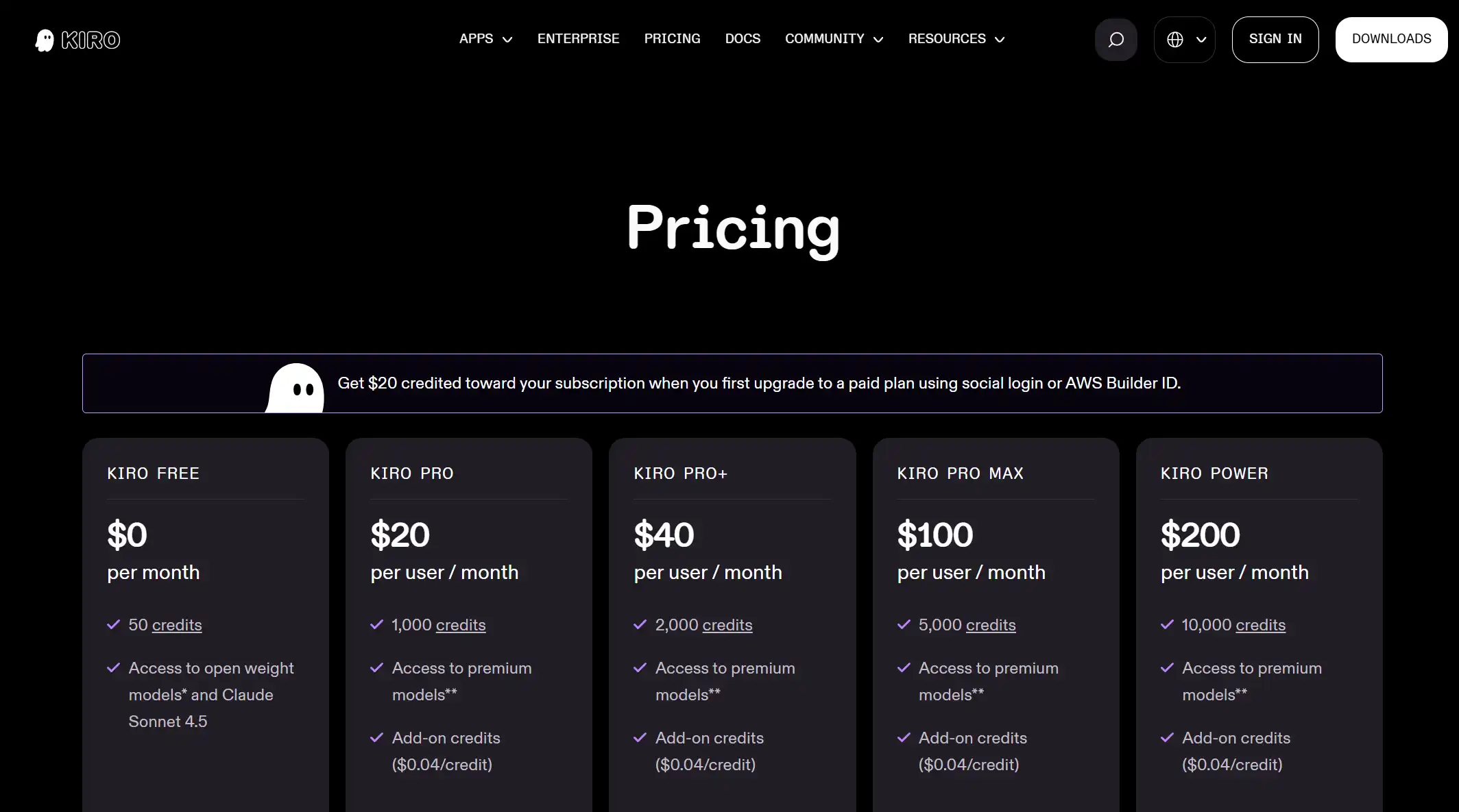
- Pick Kiro when you approve requirements, design, and tasks before agents write—under AWS credits and IAM/SSO. Free is 50 credits/month; Pro is $20/user/month.
- Pick Cursor when you live in Tab, Composer, and Cloud Agents all day. Plus is $8/month. Premium is $30/month. Daily Agent is Super at $100.
- The bills do not match. Kiro Pro is $20/user for monthly credits ($0.04 add-ons). Cursor Plus is $8/month. Premium is $30/month. Third-party models bill at API list price.
- Neither when the job is a terminal agent on Claude (Claude Code), GitHub issue-to-PR (Copilot), a Google command center (Antigravity), or an open client on your own keys.
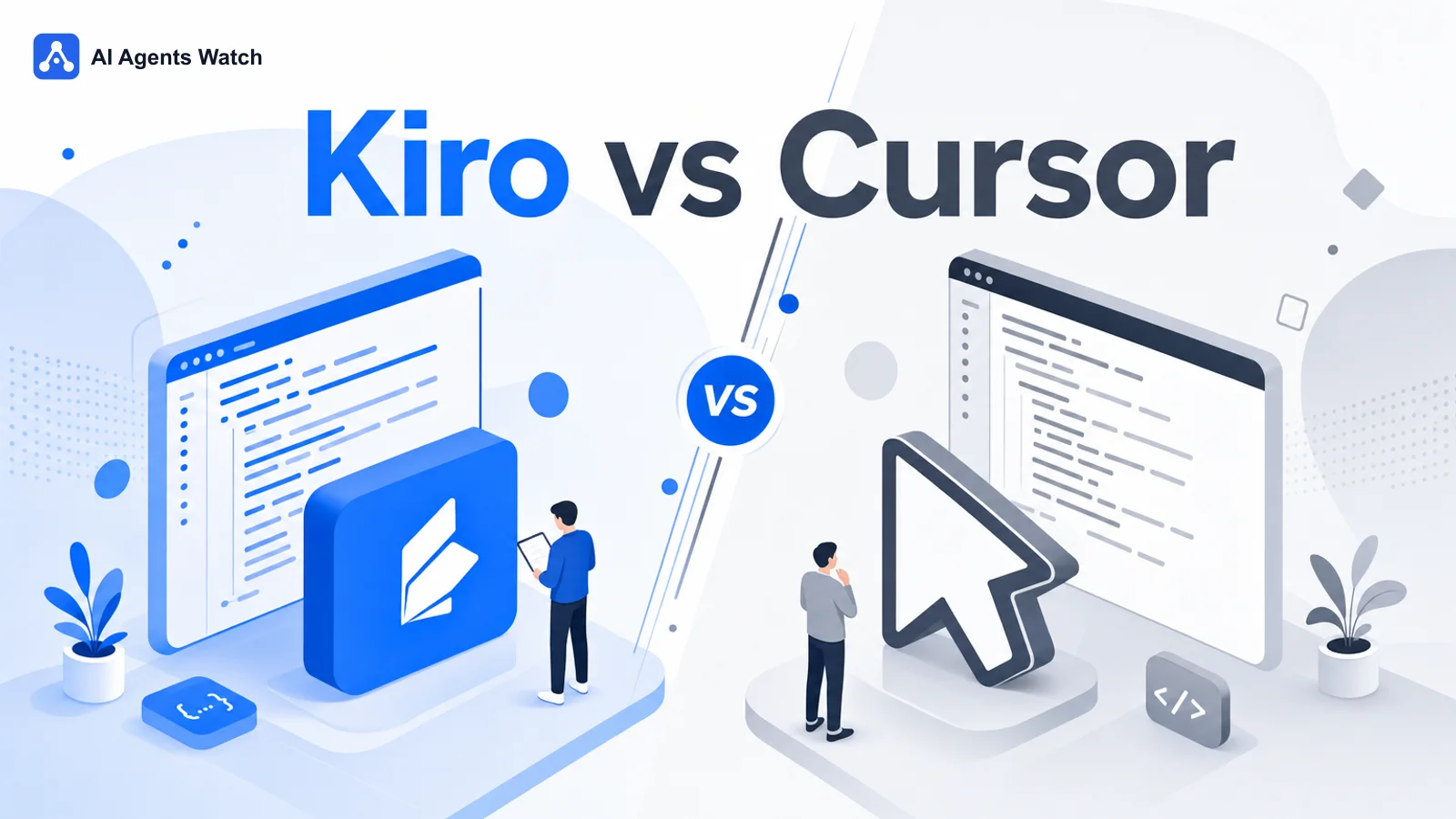
Before agents touch the repo, Kiro wants requirements, design, and tasks approved. Cursor wants the folder open and Tab firing while you type. Same afternoon, two different days.
| Job | Lean Kiro | Lean Cursor | Neither |
|---|---|---|---|
| Spec docs first, then agents implement | Free 50 credits/mo or Pro $20/user/mo (1,000 credits) | Cursor can plan; the default is still Tab + Agent in the editor | Google command center is Antigravity |
| Tab + multi-file Agent in the editor all day | Skip Kiro here—the product gates code behind specs | Free ($0, limited Agent), then Plus $8/mo; Grok Bot is Premium $30; daily Agent → Super $100 | Do not buy Kiro Power “for autocomplete” |
| AWS IAM / SSO / GovCloud where offered | Paid Kiro + Enterprise path | Cursor Teams SSO is a different vendor | Terminal agent on Claude is Claude Code |
| $0 today to try agent work | Free 50 credits/mo | Free $0, limited Agent | Open bring-your-own-key clients are open source AI coding agent |
| Team wants one AI IDE, shared Cloud Agents | Enterprise is custom on Kiro | Teams from $30/user/mo | GitHub issue-to-PR is Copilot |
| Headless agents in CI | Kiro CLI is part of the product | Cursor is the desktop window | ChatGPT-bundled cloud agents are Codex |
Who each tool is for
The agent should wait until requirements, design, and a task list are approved. Then parallel agents run locally or in the cloud on AWS-operated billing. That is Kiro. Free is 50 credits/month. Pro is $20/user/month for 1,000 credits. Plan notes also live on the Kiro hub.
Tab while you type. Composer for multi-file edits. Cloud Agents when you leave the laptop. The window stays open all day—that is Cursor. Free is $0 with limited Agent. Plus is $8/month. Premium is $30/month, and Cloud Agents start there. If Agent is every day, Cursor’s pricing page points you at Super at $100. See the Cursor hub for current offers.
This page is the from-scratch pick between those two. Already on Cursor and weighing a switch? Use Cursor alternatives. Google’s command center vs this editor is Google Antigravity vs Cursor.
Interface and how you build
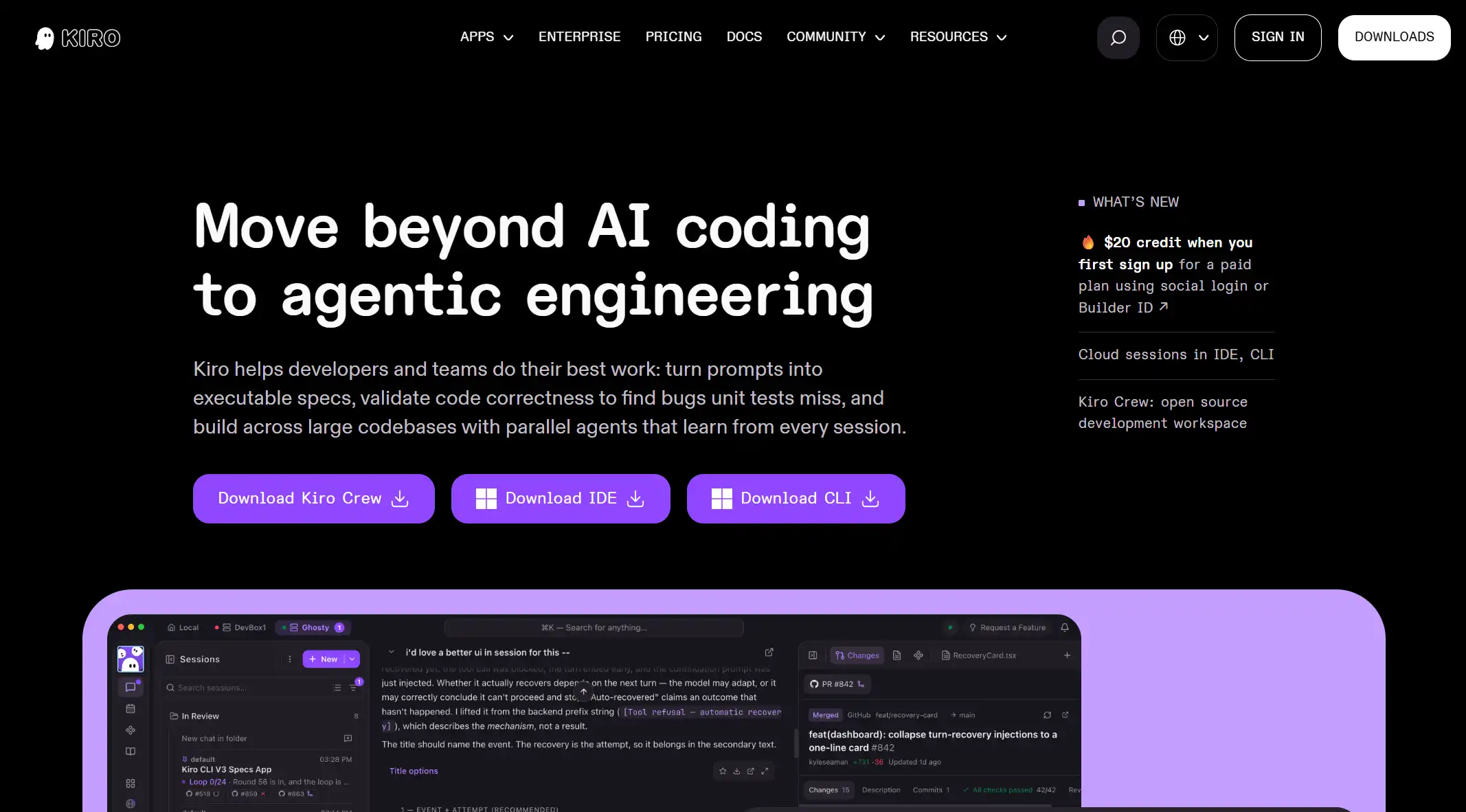
You start a feature and Kiro drafts requirements, then design, then tasks. You approve each beat. Agents implement against that list—local or cloud—and a headless CLI can run in CI. The IDE imports Open VSX extensions. Paid plans unlock premium models (including Auto and listed Claude tiers where available). Credits bill the agent work.
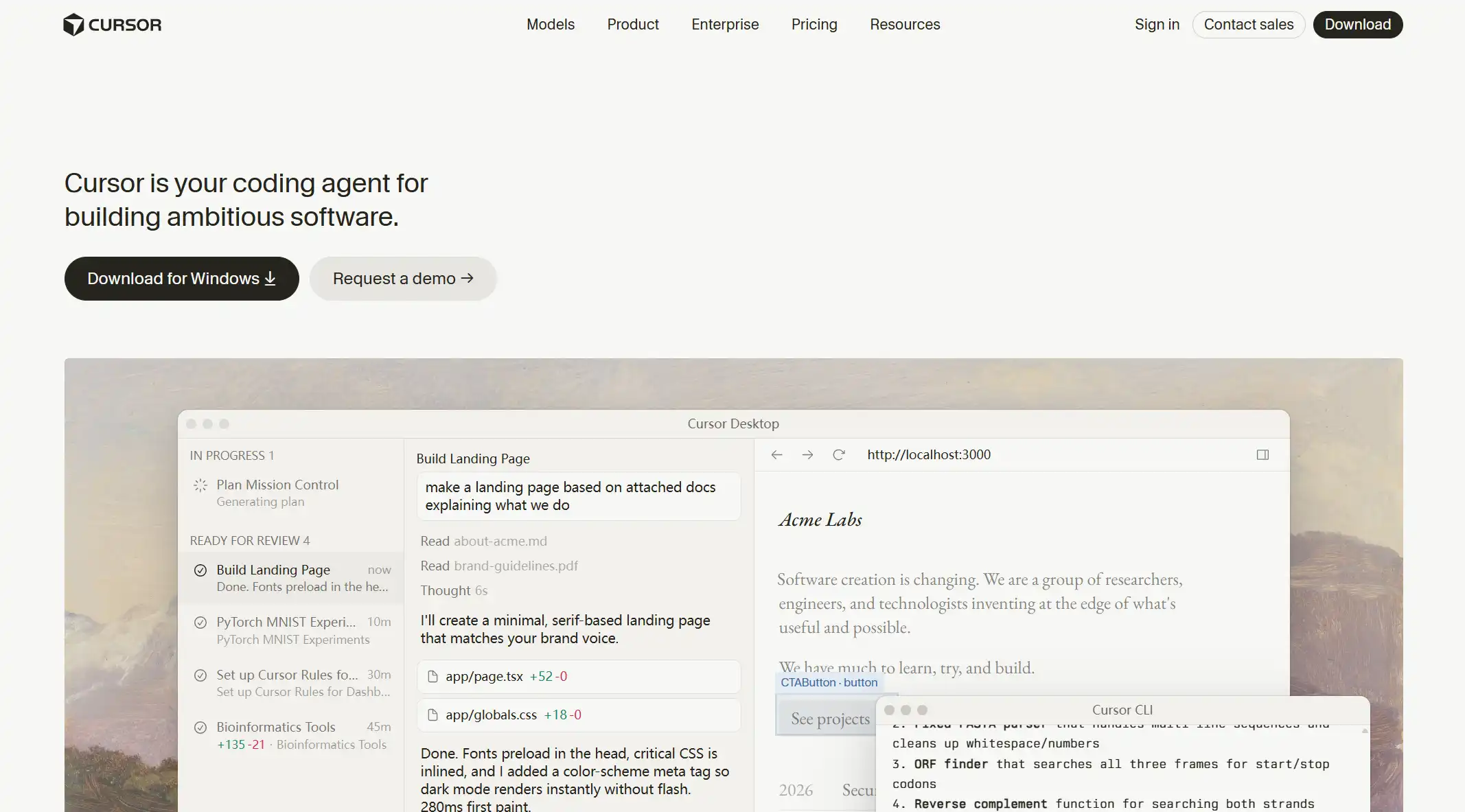
You open a folder and type. Tab completes. Chat and Composer/Agent edit across files. Cloud Agents keep going when you close the laptop. It is one desktop editor built on VS Code. Free includes limited Agent and Chat. Plus is a shared weekly pool and Grok models only. Premium adds Cloud Agents. Third-party models bill at API list price.
Where it caps out: Kiro Free still pauses when the 50 credits are gone. Cursor Free still pauses Agent when the limited allotment is gone. Kiro sells add-on credits at $0.04 each. Cursor’s weekly pool resets. Third-party models bill at API list price from the first use.
First-hour setup (what actually differs)
Hour one is whether you approve specs before code moves, or you open a folder and watch Tab fire.
Kiro
- Download from kiro.dev. Sign in with social login or AWS Builder ID. Start Free (50 credits) or Pro at $20/user/month.
- Point it at a real repo. Run one feature through requirements → design → tasks, then let agents implement.
- Watch the credit balance. First paid upgrade on social/Builder ID gets a $20 credit toward the subscription—confirm on Kiro pricing.
Cursor
- Download the editor. Start Free (no card) or Plus at $8/month.
- Open a repo. Type until Tab fires. Run one Composer/Agent pass across a few files.
- If you want Cloud Agents, budget Premium ($30). If Agent is the daily loop, Super is $100 and Ultra is $200.
How you are billed
| Axis | Kiro | Cursor |
|---|---|---|
| How you’re billed | Monthly credits; add-ons $0.04/credit | Weekly pool shared across Cursor and Grok. Third-party models at API list price |
| Free entry | Free $0 / 50 credits/mo | Free $0; limited Agent and Chat; no Grok Bot |
| Paid baseline | Pro $20/user/mo (1,000 credits) | Plus $8/mo. No Grok Bot. Grok models only |
| Heavy individual | Pro+ $40; Pro Max $100; Power $200 | Premium $30/mo; Super $100/mo for daily Agent; Ultra $200/mo |
| Team / org | Enterprise custom (SSO, analytics) | Teams from $30/user/mo; Enterprise custom |
| Expensive when— | Spec loops that burn credits on Free; Power if you only needed Tab | Daily Agent on Plus; third-party models at API list price |
Kiro Pro at $20/user buys 1,000 credits. Cursor Plus at $8 buys a weekly pool and no Grok Bot. A busy spec week on Kiro Free is fifty credits. A busy Agent week on Cursor Free is the limited Agent allotment. Blowing Kiro credits is $0.04 each (or a higher plan). Third-party models in Cursor bill at API list price. The full ladder sits on Cursor AI pricing.
Example workflows I’d shortlist
These are the hours I’d put on Kiro or on Cursor. Specs-before-code is not all-day Tab. An editor is not an AWS credit balance.
- Ambiguous feature that needs shared requirements before code: Kiro Free or Pro. Cursor can draft a plan; you still live in the editor by default.
- Tab and Composer in the same window all day: Cursor Plus, then Premium or Super if Agent is every hour. Do not buy Kiro Power for autocomplete.
- Team already lives in AWS IAM/SSO and wants agent work under that roof: Kiro. A Cursor plan on top is a second vendor.
- Team wants one AI IDE, shared Cloud Agents, SSO: Cursor Teams from $30/user/month. Kiro Enterprise is custom.
- Issue on GitHub must come back as a PR on GitHub: Neither. That is Copilot. A long terminal session on a paid Claude plan is Claude Code—not Kiro vs Cursor.
Pick rules
You are choosing how the day starts, then a bill. Approve specs under AWS credits, or live in Tab/Composer on a Cursor plan.
Choose Kiro when requirements → design → tasks must land before agents write, and AWS-operated credits (or Free’s 50) match how the team already works.
Choose Cursor when Tab and Composer in a desktop editor are the all-day path, and Plus at $8/month or Premium at $30/month matches how the team already works. Super is $100 when Agent is daily.
Choose neither when the job is a terminal agent on a paid Claude plan (Claude Code), GitHub issue-to-PR (Copilot), or a Google agent command center—see Antigravity vs Cursor. Open clients on your own keys belong on open source AI coding agent.
Paying for both is allowed: Cursor for the editor, Kiro for AWS specs-first features. That is two bills. This page is A or B, not a bundle review.
Wrong fits
Buying Kiro Power because you wanted Cursor Tab is the usual mix-up. Power is 10,000 credits/month. It is not the editor you type in all day.
Buying Cursor Ultra because you wanted AWS spec documents is the other mix-up. Cursor Ultra is $200/month of included usage. Kiro’s heavy path is Pro Max or Power on credits.
Expecting Kiro Free’s 50 credits to cover unbounded agent weeks will stall. Expecting Cursor Free to cover daily Agent will stall at the limited allotment.
Treating Kiro as “Cursor with an AWS logo” skips the product split: specs gate the code on Kiro; Tab starts the day on Cursor.
How I checked this
This page compares Kiro and Cursor: who each is for, first-hour setup, how you’re billed, and pick rules. Claude Code, Copilot, Antigravity, and open bring-your-own-key clients stay out of scope except as links when the job is a different tool.
I used Kiro’s public pricing page and Cursor’s public plans as of October 2026. I pick by how the day starts first (specs before code vs editor you live in), then by how usage is billed (Kiro credits vs Cursor’s weekly pool).
Products in this guide


FAQ
Is Kiro better than Cursor?
For spec-driven implementation with AWS controls and monthly credits, often Kiro. For Tab and Composer in the editor you live in, often Cursor. Pick by the ritual and how you are billed. Kiro Pro is $20/user. Cursor Plus is $8/month.
Kiro vs Cursor pricing?
Different bills. Kiro Free is 50 credits/month; Pro is $20/user/month for 1,000 credits; add-ons are $0.04/credit. Cursor Free is $0 with limited Agent. Plus is $8/month and does not include Grok Bot. Premium is $30/month. Daily Agent is Super at $100/month. Compare as of October 2026 on Kiro pricing and Cursor pricing.
Does Kiro have a free plan?
Yes. Kiro Free is $0 with 50 credits per month. Cursor Free is the $0 editor path, with a tighter Agent allotment.
Kiro vs Google Antigravity?
Different vendors. Kiro is AWS spec-first IDE/CLI billed in credits. Antigravity is Google’s agent command center on Individual $0 plus Google AI Pro/Ultra caps. See Google Antigravity vs Cursor when the other side of the pick is Cursor’s daily IDE.